Posts

Showing posts with the label Computer

What is Kali Linux

Image
If you too are fond of using the internet and you love to know about technology and the world of internet and hacking, then you must have heard about Kali Linux. Kali Linux is the most popular operating system in the world of hacking, if you are learning hacking or want to become a hacker, then you should know about Kali Linux, what is it, what is the use of it. Kali Linux is a Debian-based Linux operating system that you can download and use for free from the Internet. It is a distributed version of Linux, especially security and penetration testing, security research, computer forensics, reverse engineering. designed for the way we have our own computer and laptop systems windows version installed operating system running sector like windows 8, Windows 7, Windows 10, etc. so Kali Linux is an operating system that you can bring in their works of the installed. Now many people use Kali Linux operating system for good work which we call white hat hacker and some people use this op...
How to become a hacker

There are many types of hackers. There are some good hackers who do good work for hacking. There are some bad hackers who do evil acts of hacking and there are some hackers who do both good and bad things. Hackers are the way to several types of hacking attacks are but all these important things an extraordinary amount of knowledge of some important things you start before you can learn if you could become a good hacker and hacking can easily learn. Basic information of the computer If you want to become a hacker or learn hacking in the beginning, then you need to have a basic knowledge of computer, such as how the Internet runs in the computer, what is the MS-DOS Command, how does it work There are different types of commands given in MS-DOS command, what is Registry, how to edit registry, it is very important to know all these things in the beginning to learn. Must have knowledge of programming languag To learn hacking, it is very important to have knowledge of programming lan...

How to increase battery life of Laptop

If the battery backup of your laptop is very low, and you want to increase the battery life of your laptop, then I will give you some working to increase the battery life of the laptop I will tell you about tips. By the way, the battery of most laptops runs only 4 - 5 hours, but if your battery runs less than this, then you can easily increase battery backup of your laptop quite easily by following the steps given below. Because I will tell you how to increase the battery life of your laptops? These tips are for Windows, if you also use a Windows laptop, you can easily increase your battery life by following the tips given below. Use Power Saver Mode Always If you want to increase the battery life of your laptop, then mostly use Power Saver Mode only. Most people use balanced plan instead. In which Dim Display, Turn Off Display timing is also very less. And because of which your battery is used a lot. So if you want that the battery of your laptop lasts for a long time, then i...

How to increase the speed of Slow Computer

When we buy a new computer and laptop, its speed is also very fast, but as it gets older, its performance and speed slowly slows down. And due to which some people even format their computers. If your computer is too old, and it's performance has slowed down a lot, then I will tell you how to increase the speed of Slow Computer without formatting the computer? Although there are many reasons to slow down the speed or performance of any computer, but if you follow the tips given below, you will be able to fasten your computer and Windows PC to a great extent. Delete Temporary Files Due to too much Internet surfing on the computer, many temporary files, corrupted files store in our computer, which you should keep deleting time to time. First of all, press Win + R Key in your computer and enter by typing %temp%. Now all the temp files show in front of you, delete them all by pressing Ctrl + A + Delete. Now you are Done

How to make strong password

Image
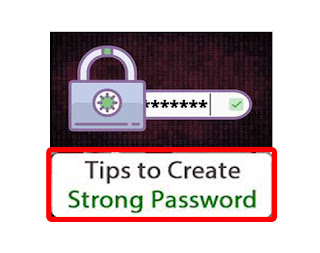
We all need to have a password in our mobile computer, E-mail or any other password. And without any password, our data or anyone can view and use it. Anything means where you need a password and where you have used a simple password. Or have not done it again. That is, if you have not installed a password in your mobile and your mobile forgot, in that case your mobile data could be stolen. And if you've used the password, then your data can be saved to some extent. To protect the mobile phone's data, you can keep your phone safe by encrypting it. And nowadays, there is a password everywhere such as in a bank, in mobile, in bringing, in any internet account, etc. If you use simple password in place then you can think of what is the result of it. Every day there is a hearing about the incident of cyber crime. And we also know this. If we care less in our security, then we can do very badly. Why make the password strong? Yes, why should we strengthen the password? What ...

What is DDR2 DDR3 DDR4 RAM

Image
You must know about the DDR2 DDR3 DDR4 RAM! What is this? Which is the best in this? If you do not know! So today I'm telling you all what happens to DDR2 DDR3 DDR4 RAM! Which is the best in this! First of all let us know about the DDR2 DDR3 DDR4 RAM, what is the difference between them! And can we use it in place of each other! So first of all, do we talk about whether we can use them at each other's place! Friends, we can not use it in one place! Because most slots are different! The slot of DDR1 is very different from the DDR2 slot! So we can not use it in one place! All the slots of this are different! So the biggest difference is this! You can not place any other RAM in another RAM slot! And this is the difference! Laptops for RAM! As the generation changes! By way the RAM was changed! DDR to DDR2 and DDR2 to DDR3! As the generation is changing! By the way these chips are getting smaller! And their performance is getting worse! And there is a difference! There is ...

What is motherboard

Image
The motherboard is a part of computer hardware that can be considered as the "backbone" of a PC, or more suitable as "mother" which keeps all the parts together. Phones, tablets and other small devices also have motherboards, but they are often called logic boards. IBM personal computer, which was released in 1981, is considered to be the first computer motherboard (at that time it was called "Planner"). Elements of Motherboard All parts of the computer are attached to the motherboard in some way on the computer case so that they can communicate with each other. This includes video card, sound card, hard drive, optical drive, CPU, RAM chip, USB port, power supply etc. The motherboard also has expansion slots, jumper, capacitors, device power and data connection, fan, heat sink and holes for screws. Important Motherboard Facts Motherboards are quite different in relation to their components which they support. For example, each motherboard sup...

How to Increase PC Life

Image
Many people from you will be the user of the laptop or desktop. We also take special care of our PC. Yet sometimes it happens that your PC stops working or a problem starts with the hardware. But every time this malfunction is not itself. Somewhere, either indirectly or indirectly, you are responsible for this malfunction. All of these mistakes are very small, which are unknowingly to you, and hardly you meditate on these small things. Today, here we will mention all such small things that happen to you unknowingly and to whom your machine has a great effect on the health of your PC. Come on, let's know how you should take care of your PC specially. Do not Cover Your PC Who does not protect his PC by covering it. But when your laptop or desktop is running, that means you should never keep your PC under cover, because in such a situation, your PC does not get out due to the heat being covered. This increases your CPU's consistent heat so that your motherboard and processor ...

Difference between 32 bit and 64 bit processors

Image
I have been using a computer and laptop for a while. You have a computer that is using a mobile device. What do you have to do with the processor What are you doing here on what is 32 bit and what is the 64 bit processor? What is the processor? Processor is an electronic chip It is your computer program that runs any program and connects to your computer with a request from the device and runs a program for your request and you have a response to it. What is 32 bit 32 bit is a type of processor, which is 32 bit of data per clock cycle transfer / process. 32 bit results show that you have a complete set of questions, that you have a 32 bit option to translate the data into a transfer / travel. The 32 bit processor can run a 32 bit data process with a socket. What is 64 bit 64 bit a type processor has 64 bit of data per clock cycle transfer / process. The 64-bit mean has the right to answer the question that you have 64 years of age, that is why it is possible to transfer data /...

Hardware and Software of Computer

Image
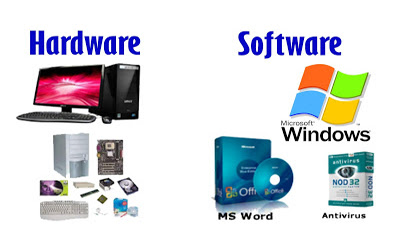
Hardware Parts of the hardware PC square measure referred to as, that we are able to see with our eyes, will touch or work on them with tools! This is often the real substance. Hardware is factory-made in factories, technology is employed within the construction of PC hardware! They're factory-made in manufactures solely with the assistance of machines and instrumentality. Computer hardware is that the physical a part of the PC during which its digital circuit is connected, as is displayed by  computer software system and it remains among the hardware. Software Software isn't a substance. software system square measure the essential directions for hardware supported PC theory, they are doing not need any manufacture to arrange. Someone World Health Organization is aware of the fundamental principles of the PC and also the functioning of the system will use the software system to arrange the software system. Software could be a series of directions written by the progr...