Posts

Showing posts with the label Mobile

How to save your wet mobile phone

There are many times during the rainy season that your mobile phone gets soaked in water, accidentally falling smartphone into the water. In this way, the chances of its getting spoiled increase. But now you do not need to worry, because we are telling you some easy tips by which you can save your wet mobile phone. Clean the battery and accessories from the mobile phone When your mobile phone is soaked in water, first turn off the power button and remove the battery. Because the water inside the phone can also cause a short circuit, so first remove its battery. After this, remove the other accessories of the phone like SIM card, memory card etc. and separate it. After this, clean the phone, battery and accessories with tissue paper or newspaper. Doing this will eliminate water and moisture from them. If the battery in your phone is non-removable, then long press the power button and turn the phone off. Use of rice or silica gel Packets Where rice is taken for food, they also d...
While buying mobile, keep 8 things in mind

Image
Before buying mobile, keep some things in mind. In the modern era, mobile has become a part of our life. Today everyone definitely has a smartphone. There are some people who also keep a box phone with a smartphone. When there was no mobile, people used to work with a letter, but today every work is being done with mobile. 8 Points before buy a Mobile Many mobile companies are working in the market. In such a situation, making decisions has become a bit difficult. Despite having a similar feature, the price of different company's mobiles is different. After all, how does the company determine the value of mobile. In today's time, the biggest budget is being spent on publicity. Because what he sees sells. Mobile company promotes celebrity to show. Mobile Company Perhaps you are wondering why I wrote the name of the mobile company on the first number? Some people are company oriented. In the beginning, I did not like any other brand except for Nokia. But, I am using Sam...

How to make strong password

Image
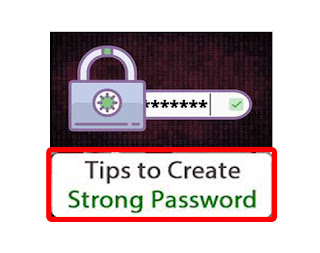
We all need to have a password in our mobile computer, E-mail or any other password. And without any password, our data or anyone can view and use it. Anything means where you need a password and where you have used a simple password. Or have not done it again. That is, if you have not installed a password in your mobile and your mobile forgot, in that case your mobile data could be stolen. And if you've used the password, then your data can be saved to some extent. To protect the mobile phone's data, you can keep your phone safe by encrypting it. And nowadays, there is a password everywhere such as in a bank, in mobile, in bringing, in any internet account, etc. If you use simple password in place then you can think of what is the result of it. Every day there is a hearing about the incident of cyber crime. And we also know this. If we care less in our security, then we can do very badly. Why make the password strong? Yes, why should we strengthen the password? What ...

Advantages and disadvantages of rooting android mobile phones

Image
What is Android Root? Rooting is a process that allows you root access to the Android operating system code. This permits you to install software for modifiers and other third-party apps in the mobile which the manufacturer does not allow. That is, you can root your mobile phone and uninstall and install the application already installed in it. Android is a Linux-based operating system, and it also includes many limitations so that no one can misuse it, but there is no limit after mobile routing. With Android Roots, you release your phone from those limits. Meaning you can use your phone exactly as you like it. In the root phone you can do anything according to your own. Benefits of Mobile Rooting Install System App When you buy a new phone, you are given a lot of install in advance. They are not all of your work and you can not even uninstall them. But if you root your phone, you can install them very easily. You can uninstall all the apps you do not need. Phone Perfor...

What is Developer Option in Android phone

Image
You must have used all the Android smartphones and you have ever heard the name of the developer options. Sometimes this option is hidden in the setting of the mobile and it has to be enabled. If you have these options Have not heard of and want to know what these developer options are and how to enable it. What is the developer option Remains hidden in the setting. The developer option is for the developer, or for the advance user, if you learn how to use this missed feature, you will also be able to take advantage of it. By enabling this feature, you can use a number of hidden features in your mobile phone such as increasing the performance of mobile phones, preventing the running application in the background, updating mobile custom ROMs, mobile phone to computer or You can connect to a laptop, with this help you can do even more. Benefits of Developer Options If you play a game like a high definition game and if the graphic is not good on mobile or the game runs slow, then...

How To Super fast Your Android Phone

Image
If you are having trouble hanging on your Android phone slow or repeatedly, then you have some best tips for fasting it. 1. Uninstall apps that you do not use. 2. Clear the cache data. 3. Stay away from animation widgets and live wallpapers. 4. Last Remedy - Factory Reset  If you want to fasten your animation. And fond of gaming. So there is also an advanced method of fasting the phone for you. Do Developer Mode On Developer mode Android phones do not have a bay-default connection. This is an advanced feature option. And you can do it in your phone. For this, I am telling you some step by step, let's follow it. 1. Go to the phone's setting. 2. Tap About Phone. 3. Here you will see the option of Build number. 4. Tap the seven times on the Build number. Now your developer mode will be unlocked and you will be able to see it in the settings. With this mode you can choose the option. Increase the speed of the animation In Developer mode, you will get the o...

How to Avoid Android Phones from Overheating

Image
Close background apps Many times the unwanted apps running in the background also conjugate your data. And overheating the phone. To avoid this, you delete such apps from your Android phone. It is important to avoid uploading apps that do not work for you. Phone display should keep brightness low Android phone's display brightness if you keep it full So your Android phone is more at risk of getting hot. To avoid heating the phone, it is important to keep your phone's display brightness 60% or less. Keep the camera's resolution very low In today's times, we go to many walks or join a wedding ceremony. So our only focus remains. They are more interested in taking selfie or making videos. But we must also keep in mind that sometimes the resolution of the phone camera can also overwrite the phone, so it is important to keep the resolution down while shooting a video. Place on Phone Airplane mode To get rid of Android phones from all types of connectivity, take it ...

How to enhance smartphone's battery life

Image
This Ways You Can Grow Battery Life Of Smartphones If you are angry with your phone that why your smartphone's battery life is low then do not be fooled, you may have some mistake in yourself, and perhaps you can know by reading these tips. Use the phone only when you need it It is important to follow this point but it will not follow, because everyone has become a smartphone pandemic, even some people do not even need to be in their phone for a long time and without any work Turns on your phone that has become a habit of the phone, but if you want to extend your phone's battery life, then use your phone only when you need it. Keep the temperature in mind More temperature reduces battery performance, so keep your phone in cool temperature, using the phone in low temperature (below 30) will have better life cycles, more temperature (heat) damages the phone's battery quickly, If you use your mobile continuously in excessive temperature (more than 30) then the battery w...

Why is a mobile phone battery blast

Image
Many times such reports are heard that the mobile was blasted or the phone's battery was set on fire. It is difficult to believe but this is true. This has happened to many people. That is why we will tell you the reasons for the bursting of the mobile phone battery, along with the ways to avoid it. So that you can save yourself and others with such an accident. In order to avoid such incidents, the mobile user has to keep some precautions, which we are telling you about here. Why mobile battery is blasted The biggest reason for the occurrence of mobile eruptions is that our carelessness, our negligence, all these incidents happen. If we were smart, then it would never happen to us. This is one of the four reasons that caused mobile phone bursts, mobile fire incidents. 1. Mobile overcharging Charging the battery of the mobile overhead is the biggest reason for battery bursts. When the battery is charged more than needed, the cathode reaches the lithium ion as much as pos...

What is the IMEI number & how to check IMEI numbers

Image
In today's time, you often hear the word IMEI or you hear it. Do you know what is the IMEI number and what is your idea of ​​what the IMEI number is. Today in this article you will know what is the IMEI number. No mobile in the world would have been created which would not be an IMEI number. Take the phone of any company or smartphone or any other company, and IMEI number will be seen on the back of the battery, without any phone, without the IMEI number Does not come. What is an IMEI number IMEI's full form is the International Mobile Equipment Identity. This is a unique number given to the mobile which is given at the back of the battery. The IMEI number is of 15 digits. The purpose behind this number is to identify that one mobile from mobile to another is different. Any mobile is identified with this number. Benefits of the IMEI Number With the help of IMEI number, you can locate the phone stolen. The phone's location makes it easy to know from the IMEI number. ...

What is pixel & how to measure it

Today we are surrounded by technology from all sides. Whether it is laptop or computer, led or camera, we have many facilities. But whenever it comes to a smart phone, that is, a mobile phone, we need its best display and its camera. A person first checks both these things in the phone and only then decides how the phone is. Now if we talk about the camera, the first thing we should see is its pixels. The quality of its image depends on the pixel of the camera itself. The better and more pixel our camera is, the better our photo will come and we will be able to show our phone to everyone with great pride. What is Pixel Pixel is also called picture element. A screen consisting of many small dots is formed and these tiny dots are called pixels. When we put millions of pixels in a matrix, then a screen is created. If many pixels are joined together then we make a picture which appears on our screen. The pixel size is very small. Any type of photo or picture is made with the help of...